Literal Word Bible App
- 4.9
- Rating
- 100.00K
- Installs
- Free
- Price

 Analysis by App-foxy
I approached Literal Word Bible as a practical reading tool rather than as a general-purpose religious media app. It sits in the Books & Reference category, is developed by Literal Word, and keeps its purpose very narrow: helping people read the Bible. That focus is its main appeal. If you want a Bible app without the distraction of a broad content platform, it deserves a closer look.
The app is free, carries an Everyone content rating, and supports Android devices running version 6.0 or later. Its current version is 4.4.9, and it has been available since April 30, 2019. Those details make it approachable for people using older Android hardware as well as newer phones, although the experience will still depend on the device and Android setup you use.
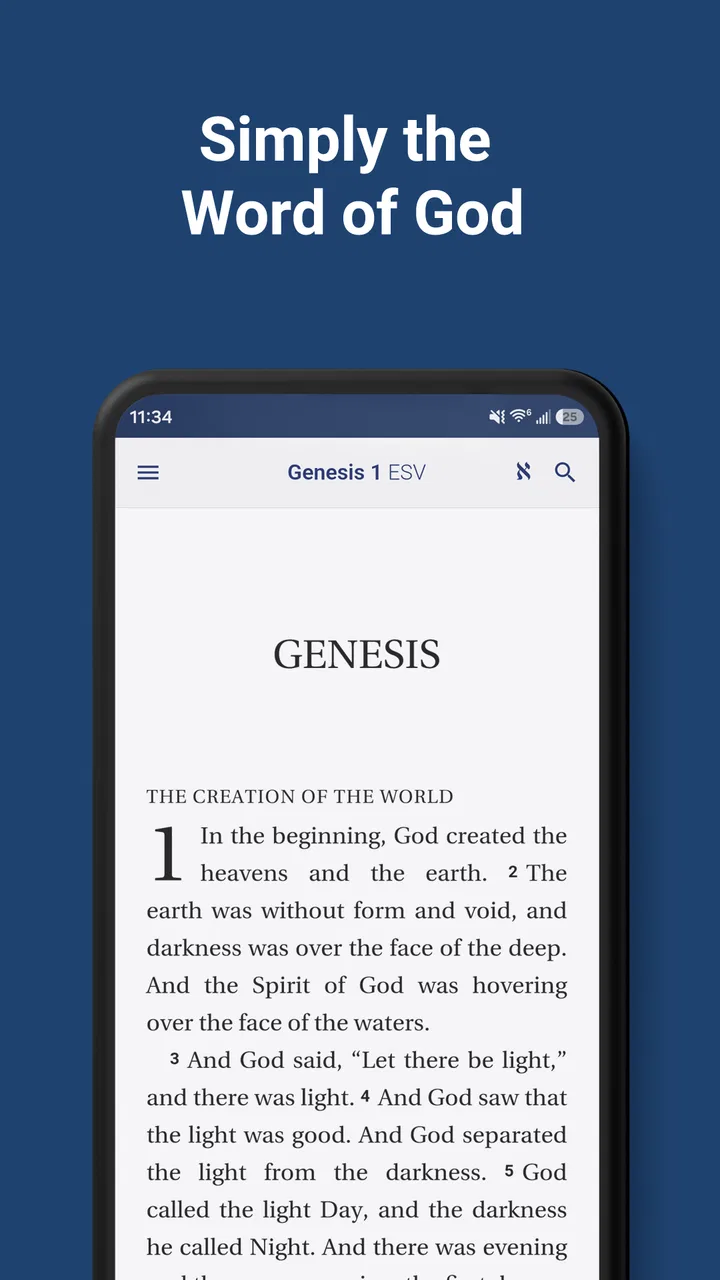
What stood out to me is how easy it is to understand the app’s role. You are not being asked to learn a complicated study system before you can read. You open it for Scripture, move through the text, and use it as a reference when you need a passage. That simplicity makes it especially suitable for a daily reading habit, quick consultation, or a quiet moment away from more crowded apps.
You May Also Like

 Blood Strike: 2.5 Anniversary
Blood Strike’s Loadouts Turn Every Drop Into a Tactical Gamble
A close look at Blood Strike’s custom loadouts: how fast access to signature weapons reshapes its battle royale rhythm, rewards preparation, and narrows the gap between fights.

 Pandora - Music & Podcasts
Pandora’s Music Is Easy to Start, but Harder to Recover
Pandora’s strength is its low-effort path from a seed to a station. Its weak spot is how much confidence it asks you to place in connection, setup, and quiet recovery.

 8 Ball Pool
8 Ball Pool Is Built on Rivalries, Rematches, and Routine
A close look at the rivalries, rematches, shared routines, and unanswered safety questions that turn a quick pool match into a persistent mobile community.

 Samsung Music
Samsung Music’s Quiet Strength Is Playing What You Already Own
Its reach comes less from spectacle than from dependable access to a personal library. That simplicity is both the app’s strongest retention engine and its ceiling.

 AccuWeather: Weather Radar
AccuWeather Review: A Quick, Clear Forecast for Everyday Decisions
For everyday plans, the best forecast is the one you can understand quickly. AccuWeather makes rain timing, radar, and local conditions easy to act on, with a few trade-offs.

 Hill Climb Racing
Why Hill Climb Racing Still Turns Crashes Into One More Run
A tiny car, a bumpy hill and one more upgrade: Hill Climb Racing keeps resurfacing because its simple chaos makes every near-miss feel personal.
More From Our News Desk



How Literal Word Bible works in everyday reading
When I use Literal Word Bible for an ordinary reading session, I find it helpful to decide on a passage or a question before opening the app. That small step keeps a quick lookup from turning into aimless scrolling and makes it easier to notice the passage’s surrounding context. The next section looks at how the app’s current version and development history shape what an existing reader can reasonably expect.
A focused Bible experience instead of a crowded content library
Many Bible apps try to become complete spiritual platforms. They may combine reading with devotionals, audio, social features, videos, reading plans, commentary, and community tools. That can be useful, but it can also make a simple task feel unnecessarily busy. Literal Word Bible takes a more restrained direction. Its identity is built around the Bible itself, which gives the app a clear purpose from the moment you launch it.
In my view, this focus is valuable when you already know why you are opening the app. If you want to read a chapter, check a verse, or keep a Bible close while away from home, a focused interface can feel more respectful of your time. You are less likely to wander into unrelated material, and the app does not need to compete with a large collection of extras for your attention.
That same narrow focus can be a limitation for readers who expect a complete study environment. Someone looking for extensive commentary, a large collection of translations, guided courses, or a social reading community may prefer a more feature-heavy alternative. Literal Word Bible makes the most sense when the text is the priority and supporting tools are secondary.
Useful for quick reference as well as longer sessions
A good Bible app has to work in two very different situations. Sometimes I want to sit down and read for a while. At other times, I need to find a familiar passage quickly during a conversation, a study session, or a personal question. A focused reference app earns its place by handling both situations without making either one feel complicated.
For longer reading, I would use it in a quiet setting with notifications turned off and the phone held like a book. For quick reference, I would open it with a specific passage in mind and avoid treating it like a full research database. That distinction matters: the app is most useful when you approach it as a dependable reading companion, not as a substitute for every kind of biblical scholarship.
One practical workflow is to use the app for the primary text and keep a separate notebook for observations. Write down the passage, the question it raises, and any related references you want to investigate later. This prevents the phone from becoming the entire study process and lets Literal Word Bible do what it appears designed to do well: keep the text accessible.
What the free price means for its value
There is no purchase decision to calculate here: Literal Word Bible is free. That makes the value question different from the one I would ask about a paid reading app. You are not deciding whether a subscription is justified or whether a one-time fee is worth it. You are deciding whether this focused Bible reader is useful enough to keep installed.
Because access does not require payment, the app is easy to try alongside another Bible app. You can compare the reading experience without committing money first. That is particularly helpful if you are unsure whether you prefer a minimal Bible tool or a larger platform packed with study material.
The free price also changes how I judge small inconveniences. A slightly less elaborate interface may be acceptable when the central reading purpose is available without charge. However, free does not automatically mean ideal. If your routine depends on advanced study functions, a different app may still deliver better value for your time, even if it asks you to use a paid tier or another kind of access model.
Where the app fits among Bible alternatives
Compared with a printed Bible, Literal Word Bible is more convenient when you are traveling, commuting, or carrying only your phone. A paper Bible still offers a calmer reading environment and makes it easier to see physical notes and page relationships. I would not treat the app as a replacement for print in every setting; I would treat it as the more portable option.
Compared with a general search engine, a dedicated Bible app is a better starting point when you already know the passage or want to read in context. Searching the web can return quotations, commentary, and unrelated pages before you reach the text. A purpose-built reader keeps the task closer to the source.
Compared with a large Bible platform, Literal Word Bible may feel cleaner but less comprehensive. The trade-off is straightforward: fewer layers can mean less distraction, while fewer layers can also mean fewer ways to study. I would choose this app for direct reading and quick reference, then choose a broader alternative when I need a more elaborate research workflow.
Three practical ways to get more from a focused reader
First, use it as a “first pass” tool. When a passage comes up in a discussion or study group, read the surrounding section in Literal Word Bible before opening commentary elsewhere. This helps me form an initial understanding from the text itself rather than immediately adopting someone else’s interpretation.
Second, separate lookup from reflection. If I open the app only to find a verse, I may close it immediately. If I have a little more time, I can read beyond the requested line and note the change in speaker, setting, or argument. That small habit turns a quick reference into a more responsible reading session without requiring a complicated study feature.
Third, use a consistent physical routine around the app. I would keep the phone on a stand, lower interruptions, and read at the same time of day. This is not a feature claim about the application; it is a way to make a simple tool more effective. A focused app benefits from a focused environment.
Limitations I would consider before choosing it
The biggest potential friction is not the free price but the app’s narrow scope. Readers who want audio listening, elaborate cross-references, extensive notes, or a built-in study library may find themselves switching between apps. That can interrupt concentration and make the overall experience feel less unified.
Another consideration is personal reading preference. Some people want a Bible app to guide them with plans, reminders, explanations, and curated material. Others prefer to decide what to read without prompts. Literal Word Bible is better suited to the second group. If you need encouragement built into the software, its focused approach may feel too quiet.
Older Android support is helpful, but it should not be confused with a guarantee of identical performance on every phone. Devices differ in screen size, speed, storage, and system behavior. Before making it your only Bible, I would spend a few sessions testing how comfortably you can navigate and read on your particular device.
I would also avoid judging the app solely by its high public reception. It has an average rating of 4.9 from around 3.5 thousand ratings, with roughly 1.1 thousand written reviews. That is a strong signal that many users appreciate it, but ratings cannot tell me whether its focused design matches your expectations. A person seeking a simple reader and a person seeking a complete study suite can look at the same score and need different products.
Who is most likely to benefit?
I see the strongest fit for someone who wants an accessible Bible on an Android phone and does not want to pay for basic access. It is also a sensible option for a new Bible app user who feels overwhelmed by platforms filled with extra sections. The Everyone age rating makes it suitable for a broad audience, including households looking for a straightforward reading resource.
It can also work well for a person who already owns a printed Bible but wants a backup for travel. Imagine leaving home for work and realizing that a passage will come up in an evening discussion. Instead of carrying a heavy book all day, you can keep a dedicated Bible reader on your phone and consult it when needed. That is a modest use case, but it is exactly where a free mobile app earns practical value.
Students and small-group participants may appreciate the ability to keep the text nearby during meetings. I would still pair it with a notebook or a separate research source when the discussion becomes detailed. The app can support the reading portion of a study session without pretending to replace every other resource.
It is less suitable for readers who want one application to manage a complete spiritual routine. If your ideal setup includes guided devotionals, extensive annotations, audio, community interaction, or deep comparison tools, a broader alternative may save you time. In that case, the simplicity that helps one user may feel like missing functionality to another.
Questions I would answer before installing it
If you are wondering whether it costs anything, the answer is simple: the app is free. That removes the financial barrier to trying it, but it does not remove the need to check whether its reading style suits you. I would install it as a low-risk experiment rather than assuming that free access means it will replace every Bible resource you use.
If you use an older Android phone, the stated minimum is Android 6.0. That gives the app a broad compatibility range, although your actual experience will depend on the condition and configuration of the device. On a smaller screen, longer reading sessions may be less comfortable than on paper or a tablet, so I would test both short lookups and extended reading.
If you are choosing between this app and a larger Bible platform, ask yourself what you do most often. For direct reading and quick passage checks, the focused approach is attractive. For structured study with many supporting resources, the larger platform is probably the better match. There is no reason to force one app to serve two opposite purposes.
If you are concerned about whether it is appropriate for younger readers, its content rating is Everyone. That makes it broadly accessible, though families should still decide how children use any phone-based reading app and whether a shared reading routine would be more helpful than independent screen time.
My buy-or-skip verdict
I would recommend trying Literal Word Bible if you want a free, focused Bible app and value direct access over a long list of extras. The strongest reason to choose it is not a flashy feature; it is the clear relationship between the app’s purpose and its use. It gives the Bible a dedicated place on an Android device without asking you to pay before you know whether the experience works for you.
I would skip it as my primary choice if I needed an all-in-one study platform. In that situation, moving between a focused reader and separate tools could become irritating, and a more comprehensive alternative would probably be worth the added complexity. I would also skip it if I rarely read digitally and already have a paper Bible that meets every practical need.
For everyone in between, the decision is easy to test because the app is free. Install it, read a few passages in the way you normally would, and notice whether the focused design helps you stay with the text or leaves you searching for additional tools. My overall impression is favorable: Literal Word Bible delivers its best value through simplicity, accessibility, and a clear reading-first purpose. It is not the right answer for every kind of Bible study, but for a straightforward mobile Bible experience, it is a sensible and approachable choice.
FAQs for Literal Word Bible App
01What is the Literal Word Bible app?
Literal Word Bible is a study-focused Bible app designed for readers who want a more direct and transparent English translation of the biblical text. It typically emphasizes close wording, cross-references, notes, and comparison tools rather than devotional content. The app is useful for personal reading, verse research, and examining how specific passages are translated without requiring a large library of additional resources.
02Is Literal Word Bible free to download and use?
The Literal Word Bible app is generally available as a free download, allowing users to read its main Bible text without paying for a subscription. However, availability of features can depend on the version installed and the platform used. Before downloading, check the Google Play Store or Apple App Store listing for current information about advertisements, optional purchases, offline access, and any limitations affecting particular study tools.
03Does the app work offline?
Literal Word Bible can be convenient for reading when an internet connection is unavailable, but offline behavior may vary according to the app version and the content downloaded to the device. Basic Bible reading is often the most reliable offline function, while links, updates, or online resources may require internet access. It is best to open the app once while connected and test your preferred passages before traveling.
04What study features are available in Literal Word Bible?
The app is intended primarily for close Bible study rather than entertainment or social interaction. Depending on the current release, users may find verse navigation, search, bookmarks, notes, reading history, cross-references, and explanatory information connected to the translation. These tools can make it easier to compare passages and investigate wording, although the exact feature set may differ between Android and iOS and can change with future updates.
05Who would benefit most from using Literal Word Bible?
Literal Word Bible is particularly suitable for readers who value a fairly literal translation and want to examine the wording of Scripture carefully. It may appeal to students, teachers, pastors, and serious personal Bible readers who prefer a focused study experience over a devotional app filled with reading plans and inspirational material. Beginners can also use it, although a more readable translation or built-in commentary may be helpful for additional context.
Pros
- Offers multiple Bible translations for comparison and study.
- Audio Bible support makes listening convenient while commuting or resting.
- Verse bookmarking and highlighting help organize personal study.
- Daily reading plans encourage consistent Scripture reading habits.
- Clean interface is easy to navigate for both beginners and regular readers.
Cons
- Some translations or study resources may require in-app purchases.
- Audio playback can consume noticeable mobile data without offline downloads.
- Content depth may feel limited compared with dedicated Bible study tools.
- Frequent notifications may be distracting unless customized or disabled.
- Search results can become less convenient when looking for broad topics.

Literal Word Bible App
Gallery